Product
VaultOur own platformEvery row checked. Every number traceable. Every issue owned.
Vault reads a whole engagement — spreadsheets row by row, PDFs page by page — answers with citations down to the cell, and turns what it finds into findings your team assigns, resolves and signs off. Reports come out as Word documents in the engagement.
“The answer was right. Then it sat in a chat window and nobody actioned it.”
The screens on this page are the product as it runs today. The figures in them are from a test engagement, not a client's.
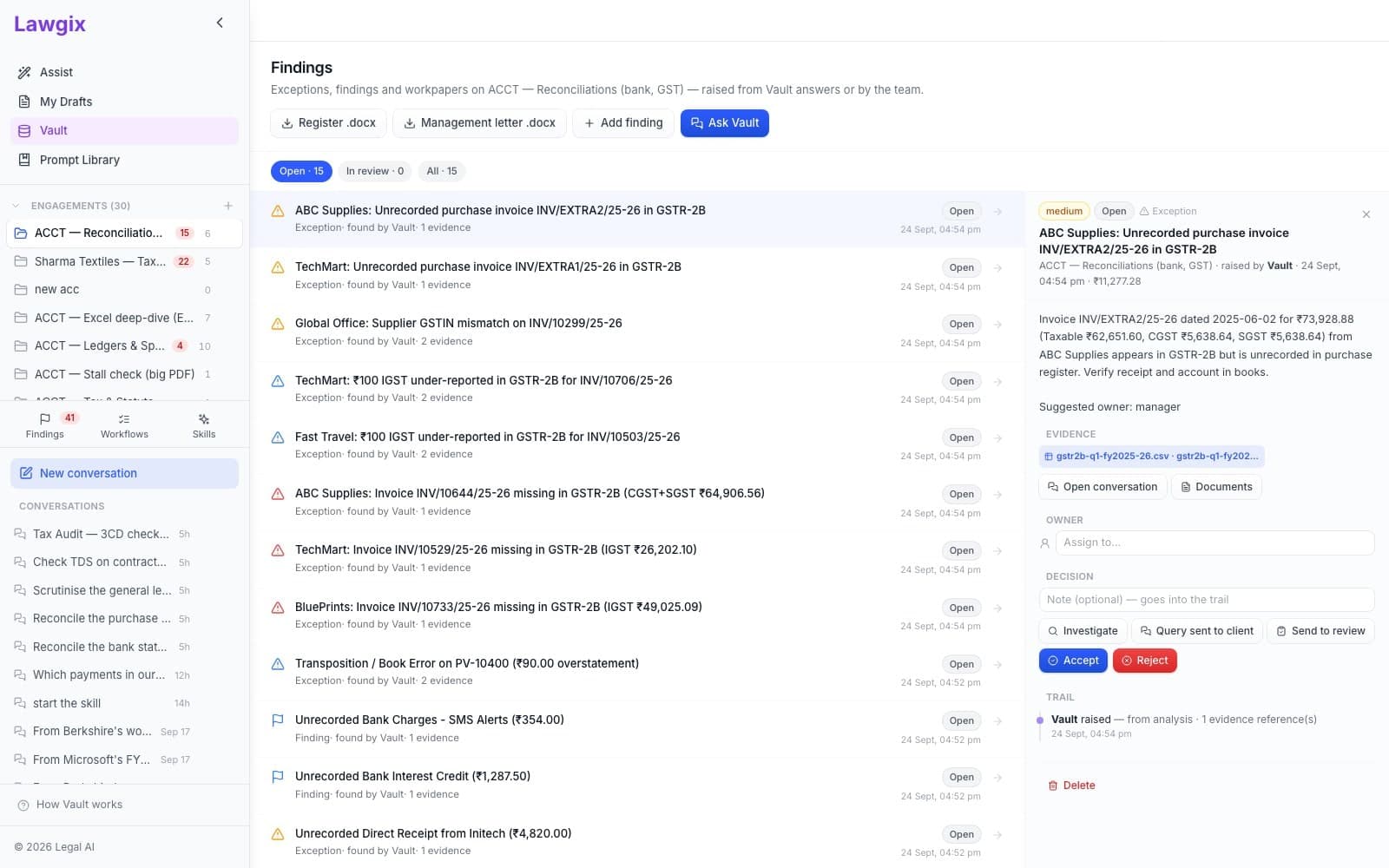
What changes
Not a chat window with a good answer in it. A file of work with the evidence attached.
01
It reads everything, and computes
A 2,000-row ledger is queried row by row — totals, filters, matches, ageing — instead of being skimmed. The answer states the rule it applied and the numbers, each with a citation to the cell or page.
02
What it finds becomes a finding
Exceptions, findings and workpapers are recorded on the engagement with the evidence snapshotted — by Vault from a check, or by anyone from any answer. Each has an owner and a status.
03
The team works it, a person signs
Investigate, send a query to the client, send to review, accept, sign — every step logged with who and when. Reports and the findings register come out as Word documents in the engagement.
Screen by screen
From the engagement to the signature.
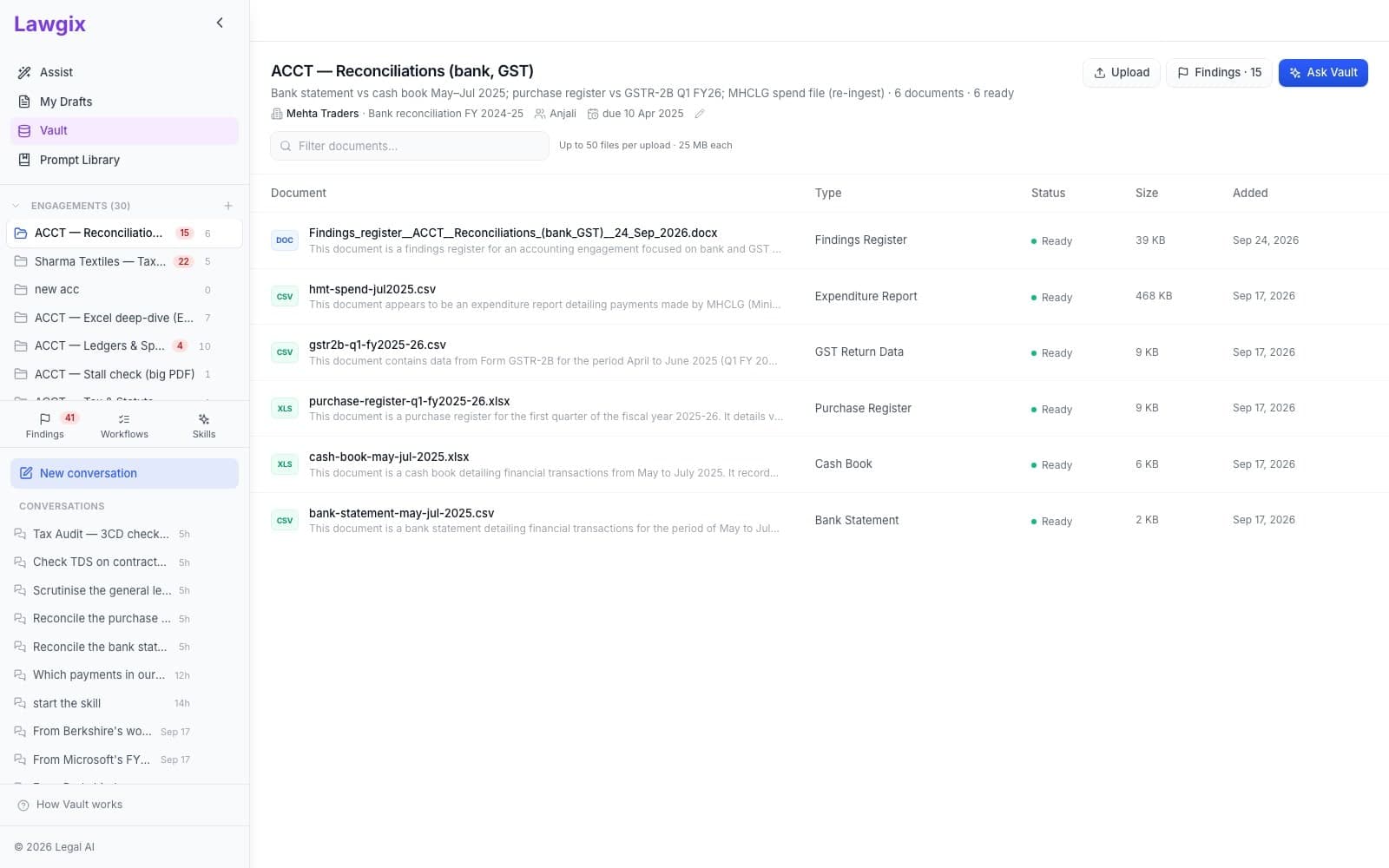
An engagement, not a folder
One client job with its documents, conversations and findings together — client, type of work, financial year, team and due date on the header. Upload a Tally export, a bank statement, a GSTR-2B download, a scanned notice.
- Reads every document in an engagement: spreadsheets row by row, PDFs page by page, scans through OCR.
- Computes over whole tables — totals, filters, matches, ageing — rather than reasoning from a sample.
- Cites every figure to the cell or page it came from; unverifiable claims are stripped.
- Records what a check finds as findings on the engagement, with the evidence attached.
- Runs multi-step workflows across the whole scope and saves the report as a Word document.
- Whether a finding is accepted, sent back to the client, or rejected — and who owns it.
- Materiality and judgement calls: Rule 6DD exceptions, going concern, provisioning.
- Sign-off. Nothing goes to a client without a person accepting it; every signature is recorded.
- What the workflow is asked to do: each pauses for the scoping questions only a person can answer.
By industry